Recover Lost Files after Reinstalling/Resetting Windows System
It's the easy to recover lost files after reinstalling or factory resetting Windows operating system with the software Do Your Data Recovery.
How to protect your banking information, passwords, tax documents, work files, browser history, private family photos or other important information before selling an old computer? Use DoYourData Super Eraser to permanently erase the data to avoid data leakages.
 Updated by Shirly Chen on June 24, 2026
Quick Navigation:
Are you getting ready to upgrade to a shiny new laptop or desktop? Selling your old computer, trading it in, or giving it away to a friend is a fantastic way to recycle technology and get some extra cash back. However, before you hand over your PC or Mac to a complete stranger, there is one critical thing you must take care of: your personal data.
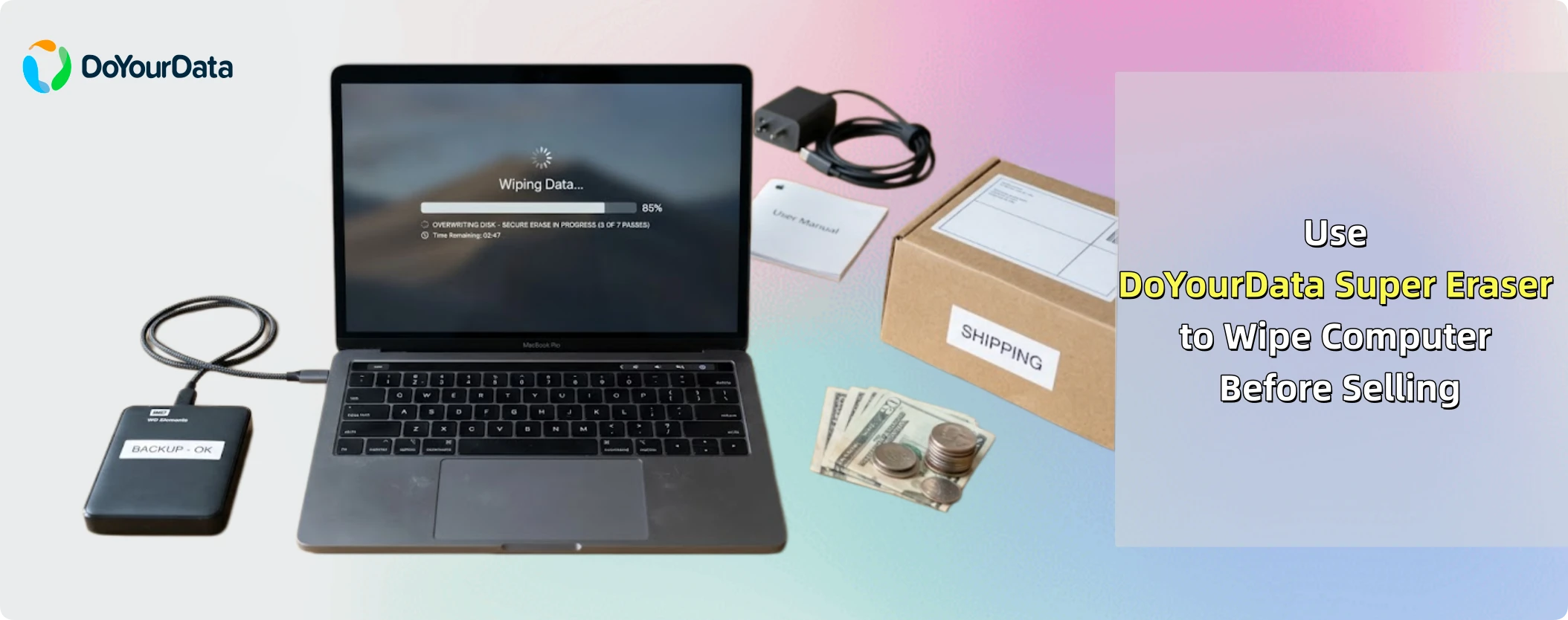
Many users assume that a quick factory reset is enough to protect them. Unfortunately, that is a dangerous mistake. In this comprehensive guide, we will show you exactly how to completely secure your device. You will learn how to properly reset your system and how to use DoYourData Super Eraser to wipe computer before selling, making sure your deleted files are gone forever and 100% unrecoverable.
When people prepare to part ways with an old device, their first instinct is usually to perform a standard factory reset. It makes sense on the surface. When the process finishes, the computer reboots as if it were brand new out of the box. All your programs are gone, your accounts are signed out, and your folders appear completely empty.
But here is the catch: a factory reset only removes the file pathways and system configurations. It does not actually destroy the raw data written on your physical hard drive or solid-state drive (SSD). Instead, the operating system simply marks that storage space as 'free space,' meaning it is ready to be written over with new information in the future.
Until that space is completely overwritten by new files, your old data remains fully intact behind the scenes. Anyone with access to professional, commercially available data recovery software can scan the drive and restore your sensitive documents, images, and login tokens with just a few clicks. To achieve true peace of mind, you need to go one step further and wipe that free space using a certified data erasure utility.
Recover Lost Files after Reinstalling/Resetting Windows System
It's the easy to recover lost files after reinstalling or factory resetting Windows operating system with the software Do Your Data Recovery.
Before using specialized data erasure software, you should first clean out the active operating system. This removes your active user profiles, system preferences, custom settings, and installed applications. Here is how to do this on both Windows 11 and macOS.
How to Factory Reset a Windows 11 Computer
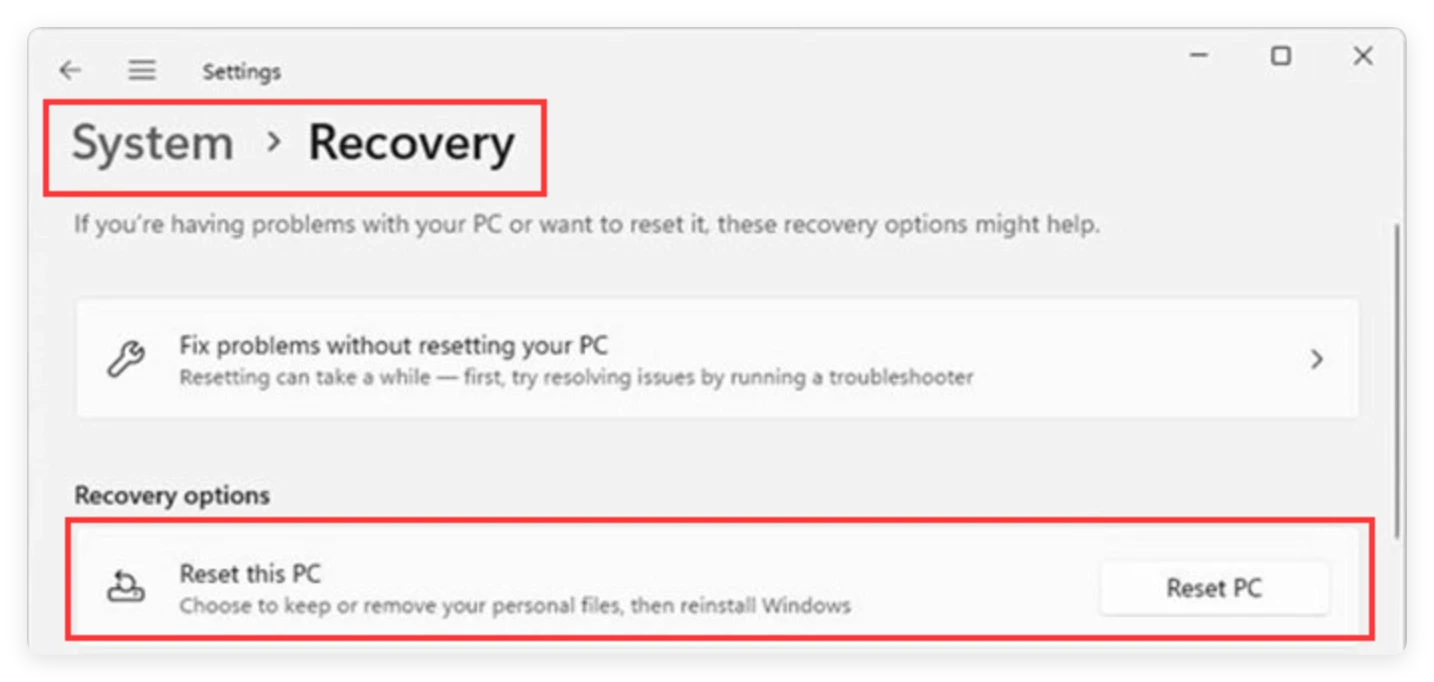
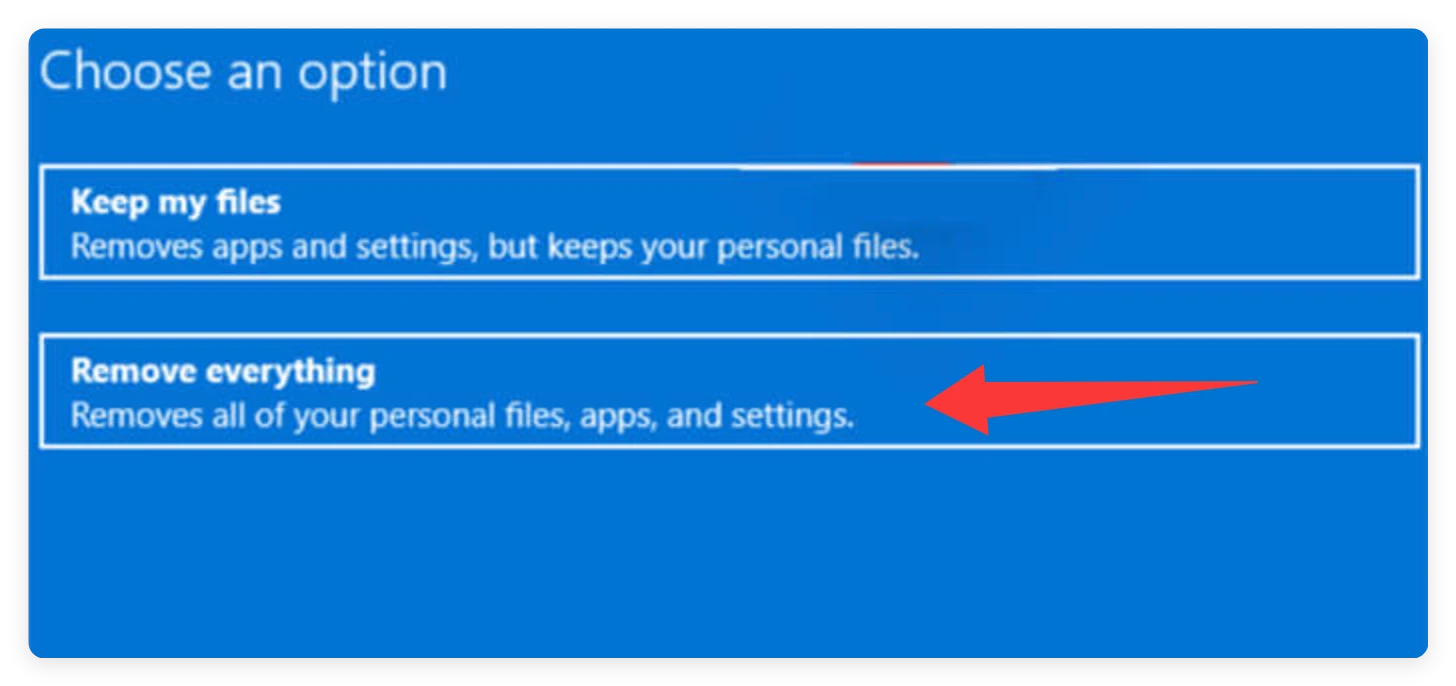
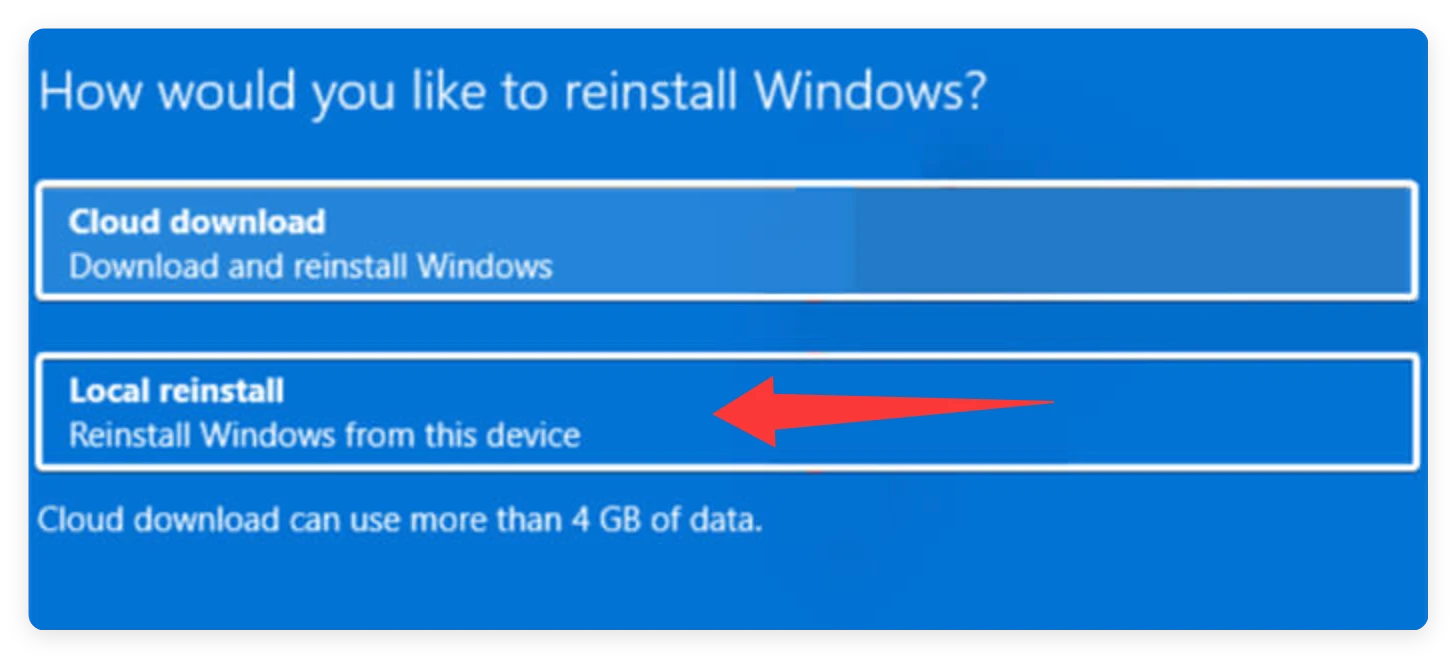
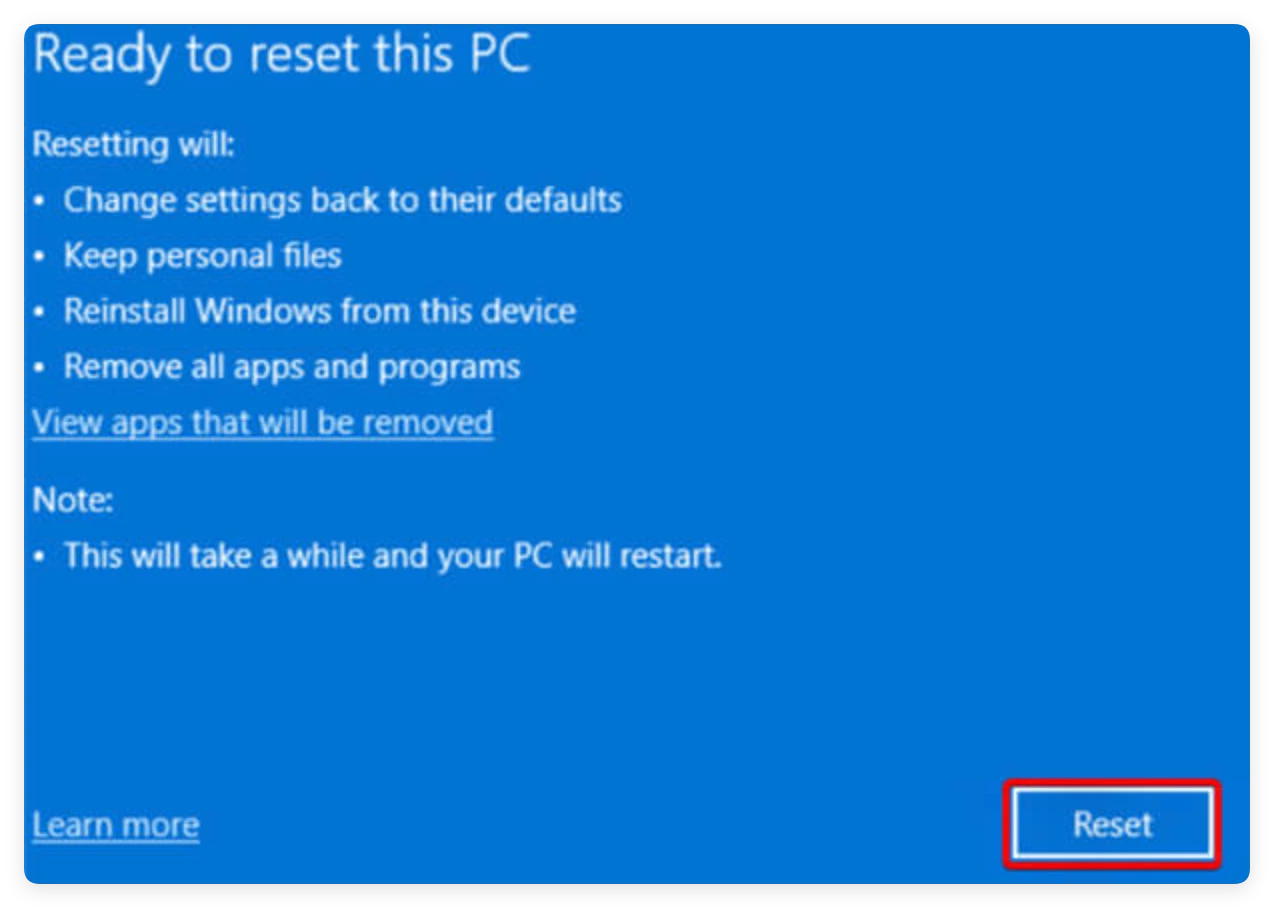
💡 Note: This process can take anywhere from 20 minutes to an hour. Make sure your laptop is plugged into a power source so it doesn't shut down in the middle of the reset.
How to Factory Reset a Mac (macOS)
Modern Macs running recent versions of macOS make resetting incredibly simple thanks to a dedicated built-in tool.
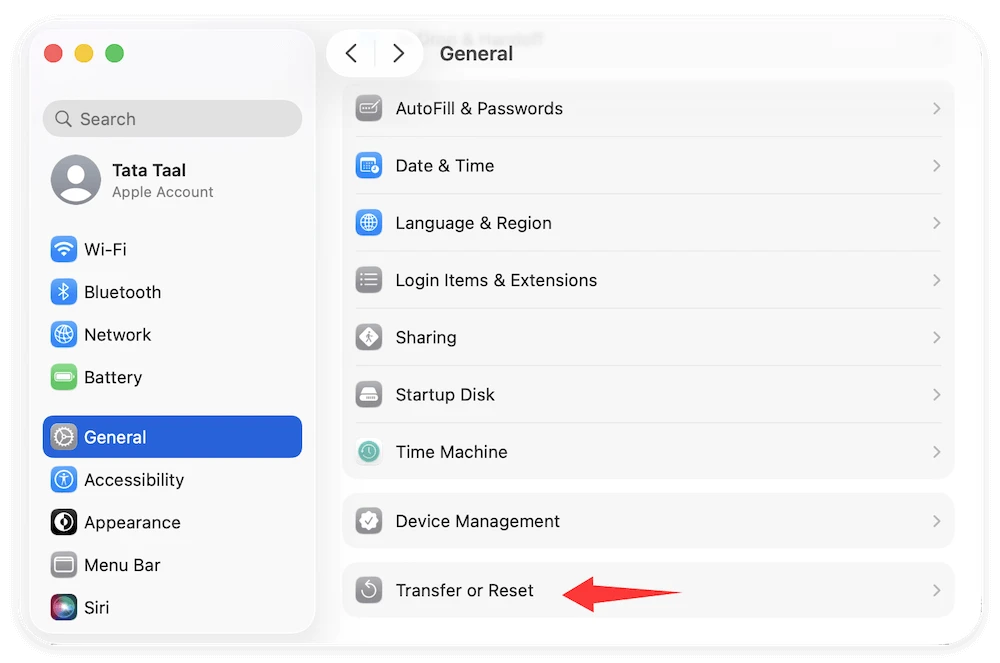
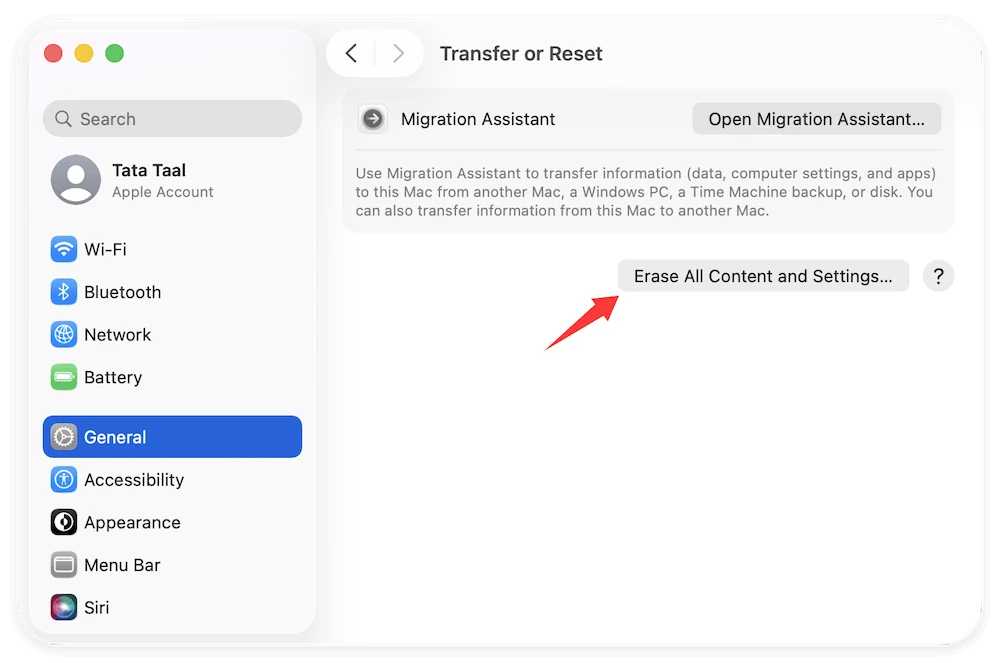
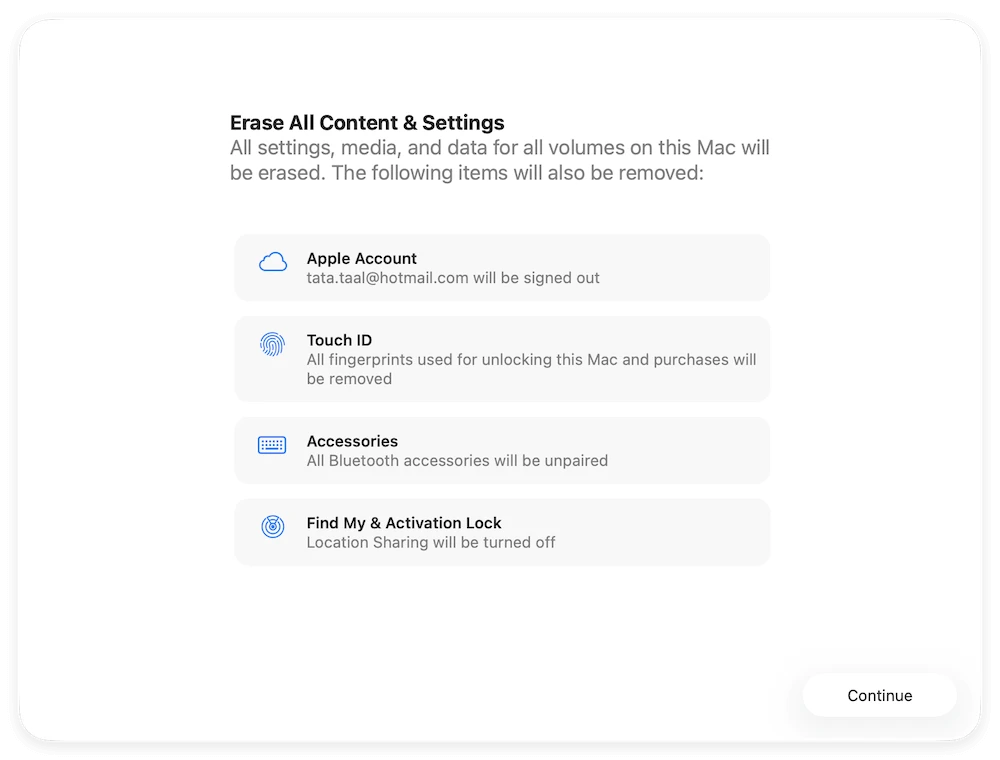
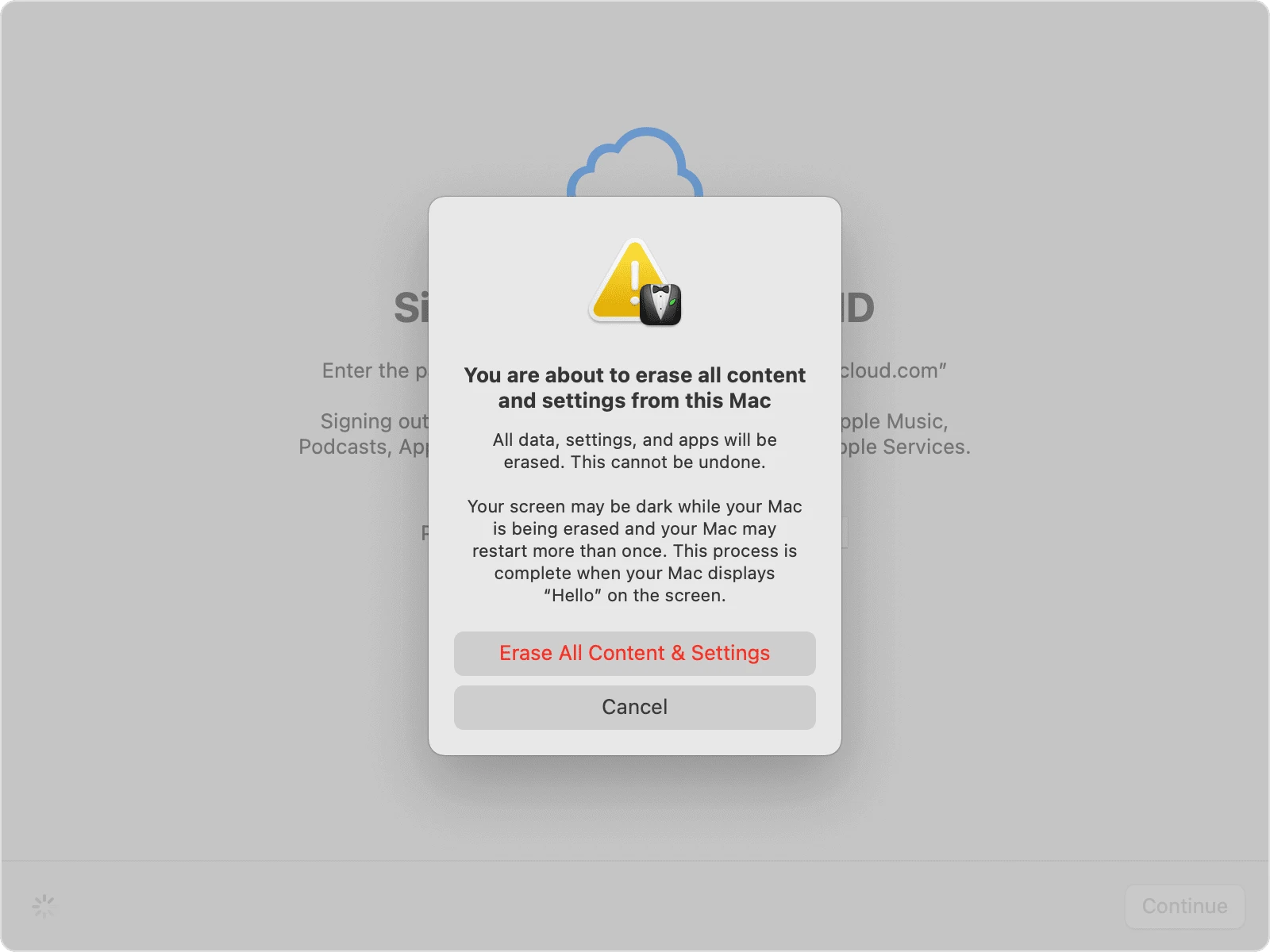
Once your computer finishes resetting, the active operating system is clean, but your deleted personal files still linger in the hidden storage sectors. This is where DoYourData Super Eraser becomes your ultimate tool for privacy protection.
DoYourData Super Eraser is a professional, military-grade data erasure software designed to overwrite hard drive sectors with random data algorithms. Once it completes its job, the original data is completely overwritten and shredded. No data recovery program, computer expert, or digital forensics team can ever bring those files back.
To secure your device without destroying the freshly reinstalled operating system, you should use the Wipe Free Space feature. This specific tool targetedly targets the 'empty' space where your old files are hiding, leaving the system files completely unharmed so the computer remains perfectly ready for its next owner.
Detailed Steps to Wipe Free Space Using DoYourData Super Eraser
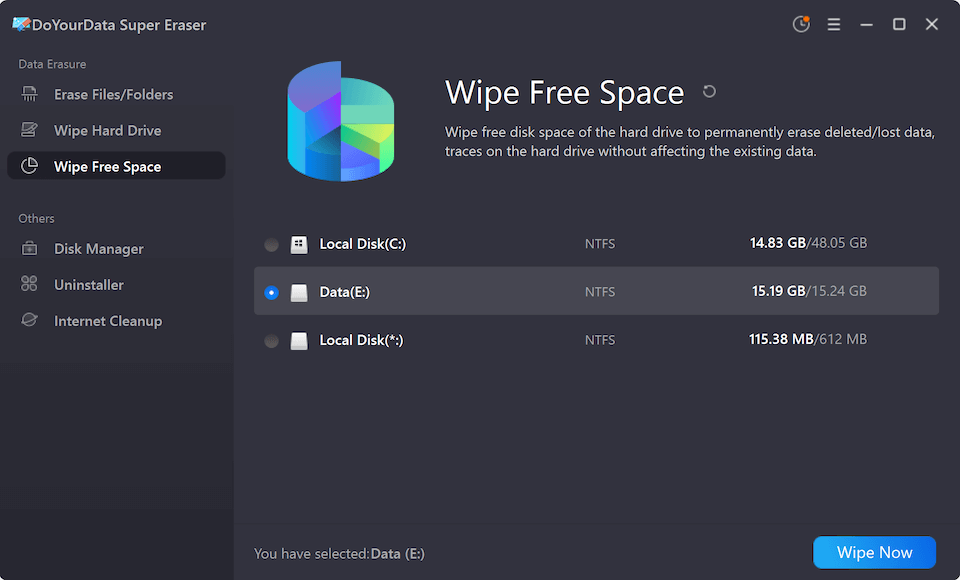
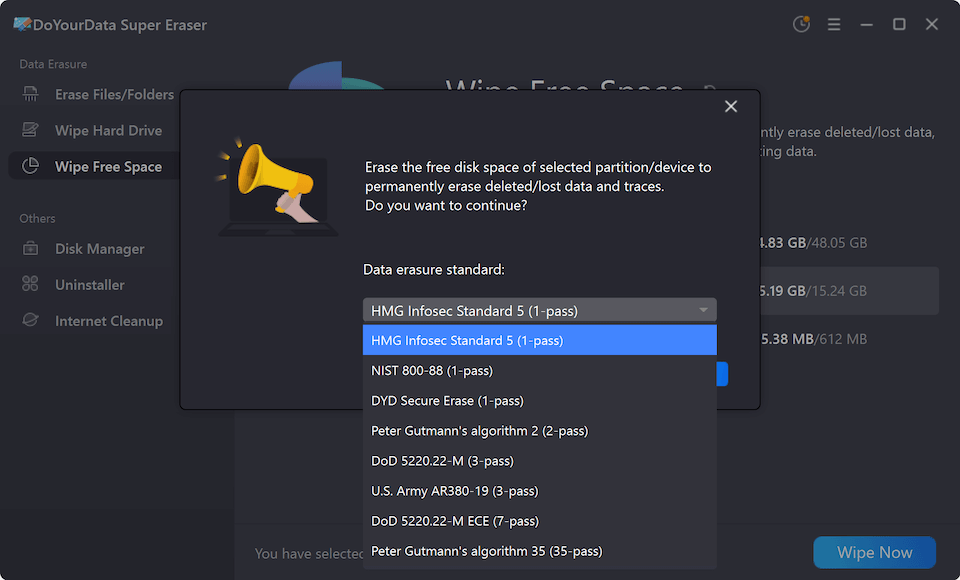
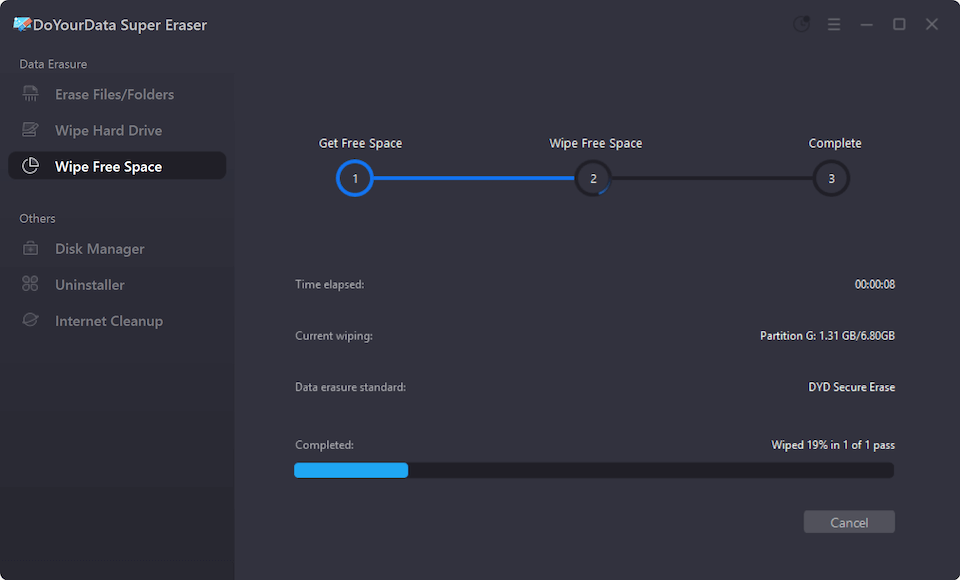
💡 Pro-Tip: If you want to wipe external backup drives, USB flash drives, or secondary storage disks that you are selling along with the computer, you can select the Wipe Hard Drive mode instead. This will wipe the entire secondary drive clean from top to bottom.
There are several tools available on the market, but DoYourData Super Eraser stands out as a highly trusted, reliable, and user-friendly choice for everyday consumers and professionals alike. Here is why it is the perfect solution for preparing your device for resale:
Selling your old computer is an excellent choice, but your digital privacy should never be the price you pay. Taking the time to properly prepare your machine ensures your personal life remains private.
By combining a thorough system factory reset with the powerful sector-level rewriting capabilities of DoYourData Super Eraser, you establish an ironclad layer of defense. Your old files, photos, passwords, and records are permanently erased from existence. Now you can confidently pack up your computer, list it for sale on your favorite marketplace, and hand it over to the buyer with total peace of mind. Use DoYourData Super Eraser to wipe computer before selling and sleep easy knowing your identity is safe. Enjoy risk-free selling!
DoYourData Super Eraser
DoYourData Super Eraser, the award-winning data erasure software, offers certified data erasure standards including U.S. Army AR380-19, DoD 5220.22-M ECE to help you securely and permanently erase data from PC, Mac, HDD, SSD, USB drive, memory card or other device, make data be lost forever, unrecoverable!
Written & Updated by Shirly Chen
Shirly Chen has been writing data recovery, data erasure articles for DoYourData over 4 years. She has been working as a professional website content writer & editor for quite a long time. She also writes articles about disk clone, Mac optimization, disk backup, etc.