Top 5 Free Data Recovery Software in 2026 | Review & Download
To recover data for free, it's essential to find a reliable data recovery freeware. Do Your Data Recovery Free offers reliable data recovery quality. It's free to scan and recover some files for free. With easy steps, you can effectively find and recover the deleted, formatted, or other lost files on Windows or Mac.
 Updated by Justin Kenny on February 25, 2026
Quick Navigation:
- Top 5 Free Data Recovery Software
- Easy Steps to Recover Lost Data with Data Recovery Freeware
- Conclusion
When it comes to choose the best data recovery software to restore deleted or lost files from your PC/Mac, hard drive, USB flash drive, memory card, digital camera, etc, we are determined to know which software developer offers the best service. There are many functional free data / file recovery programs on the market in which some of them are well known while others are not. Discuss below is our top 5 free data recovery software for the best free data recovery software.

Top 5 Free Data Recovery Software
No.1 free data recovery software – DoYourData
DoYourData offers free data recovery software for both Windows and Mac platform. Do Your Data Recovery Free (Click here to download Do Your Data Recovery Free >>) allows you to freely and completely recover deleted, formatted or inaccessible data from HDD, SSD, USB flash drive, memory card and other storage media device. With clean interface, this best data recovery freeware allows you to quickly recover all lost data within 3 simple steps: 1. Run Do Your Data Recovery Free; 2. Scan your hard drive/device; 3. Preview and recover lost files.
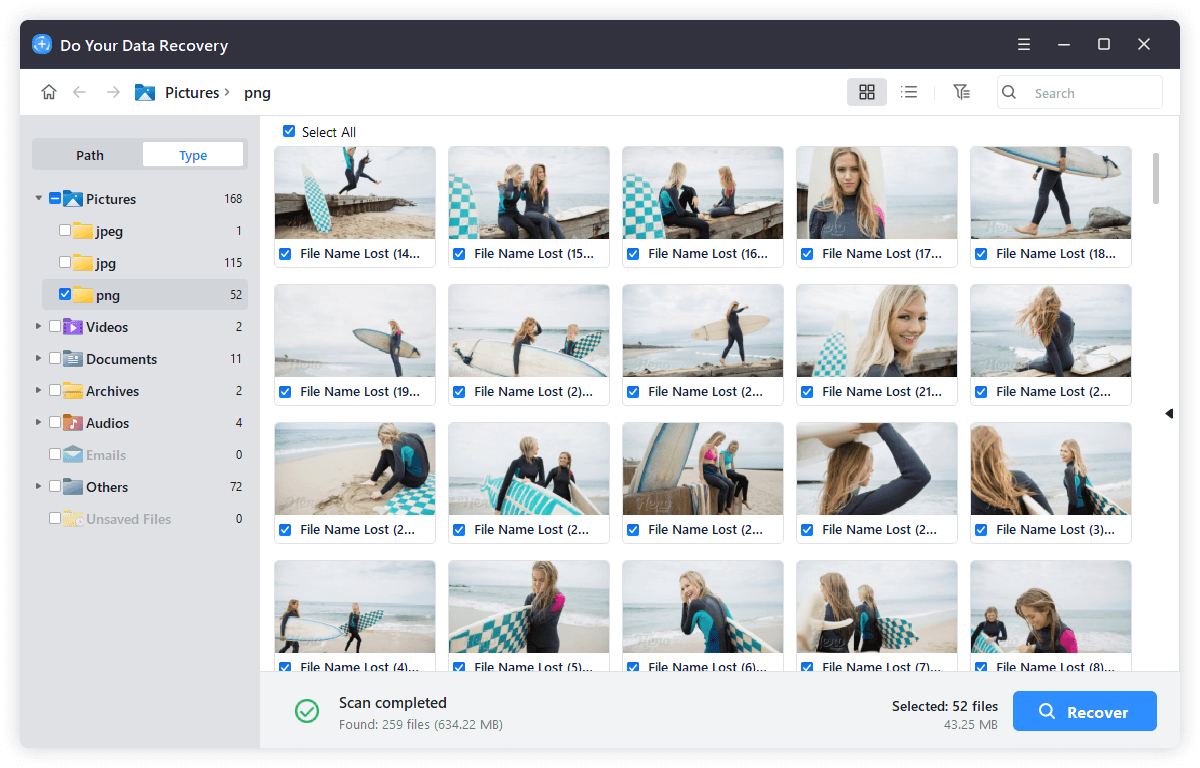
Do Your Data Recovery Free has latest version for all devices data recovery. It supports to recover lost data under the latest Windows versions and Mac versions. This powerful free data recovery software can easily get all lost files back.
No.2 free data recovery software – Restoration
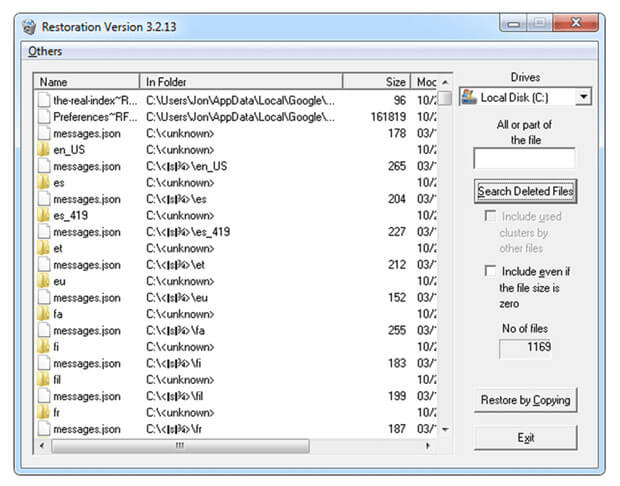
Restoration is a small free data recovery program. Its primary function is simplicity because it does not require complicated installation and in one click on the .exe file, it's done. Also, once opened, it runs from a simple window, which contains everything you need to perform the recovery and its interface is very easy to understand.
This excellent data recovery software saves files from internal and external hard drives, memory cards and other standard storage devices. It offers excellent analysis results with an efficient recovery speed. In general, Restoration is one of the best free software apps for data recovery currently available, thanks to its efficiency and simplicity.
No.3 free data recovery software – Pandora
Pandora is a free data recovery softwar , which is offered with a wizard that makes the app very easy to use. The app must be installed on the computer and can recover files from hard drives, memory cards and almost any device that can be connected to a Windows computer. This data recovery software makes use of three different recovery methods: navigation, search and surface analysis. The navigation presents a list of recovered files. The search allows search criteria, such as file name, date range or size. And finally, the surface analysis looks deep, but produces more comprehensive results. In general, this data recovery software offers a very reliable selection for the user as it is entirely free and easy to use.

No.4 free data recovery software – Recuva
Recuva, design by Piriform is one of the best data recovery softwar . It can recover data, which have been reported as unavailable or deleted by the operating system. This free data recovery software runs on hard drives, USB drives, memory cards, MP3 players and other storage devices compatible with NTFS and FAT file systems. The app is available with 32-bit and 64-bit versions. Also, Recuva is available as an installable and portable version.

No.5 free data recovery software – Disk Drill
Disk Drill Basic data recovery software is the free version of Disk Drill. This app includes several features, such as Recovery Vault and Guaranteed Recovery, which make it one of the best software applications for data recovery on the market. This data recovery software can work on internal and external hard drives, USB drives, SSDs and many other devices. The user interface is easy to use, and the Pro version includes an efficient technical service as well as the ability to keep the update for life to take advantage of all new releases.
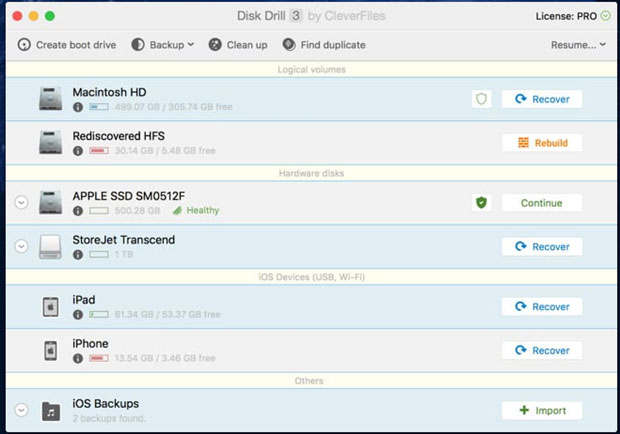
The best 5 free data recovery software can help all users easily and quickly recover deleted or lost data. Just select one of them to get your lost data back. Do Your Data Recovery Free, for example, is a good data recovery software for you to recover lost data.
Easy Steps to Recover Lost Data with Data Recovery Freeware
Step 1. Download a reliable data recovery freeware, here we recommend Do Your Data Recovery Free, it is very easy to use and powerful. This software is fully compatible with Windows and Mac OS.
Do Your Data Recovery Free
- Top 1 data recovery freeware for Windows and macOS.
- Recover data from HDD/SSD, USB drives, SD cards, etc.
- Support data recovery for pictures, documents, videos, and more.
Step 2. Run Do Your Data Recovery Free on your computer, then select the hard drive where you lose your files.
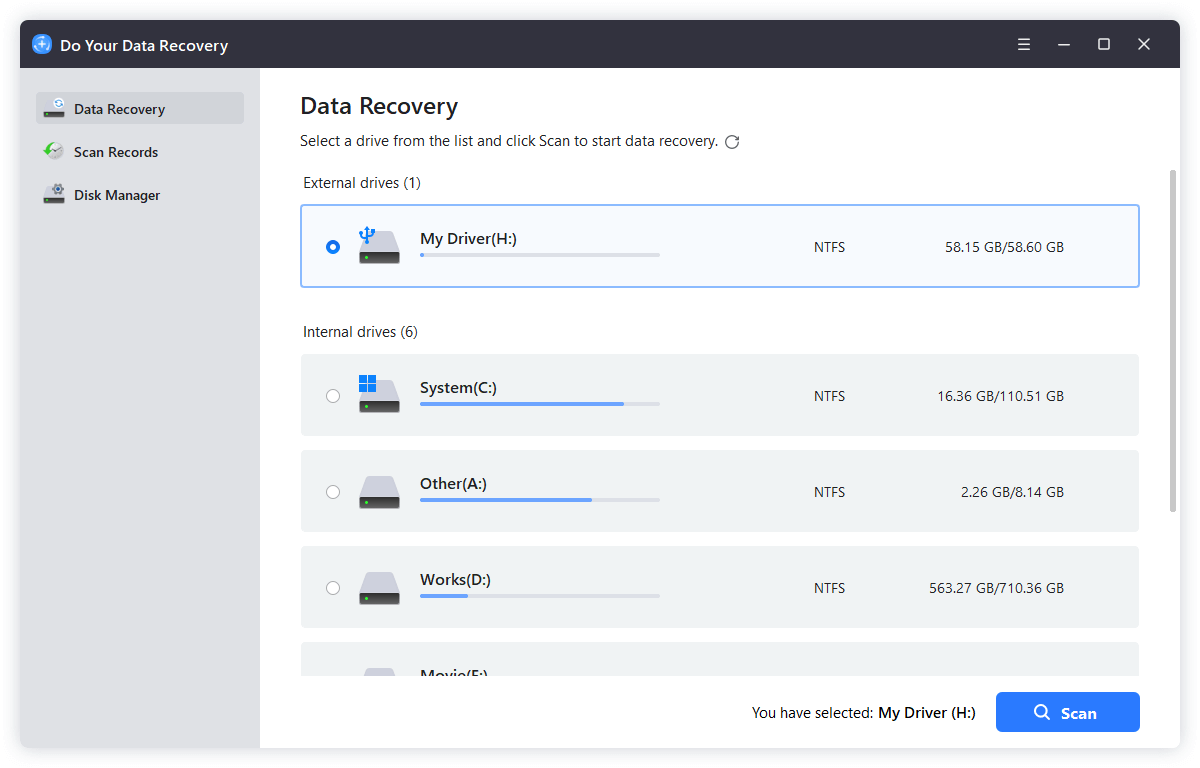
Step 3. Click on Scan button to scan the hard drive, it will scan the hard drive and find deleted, formatted and lost files.
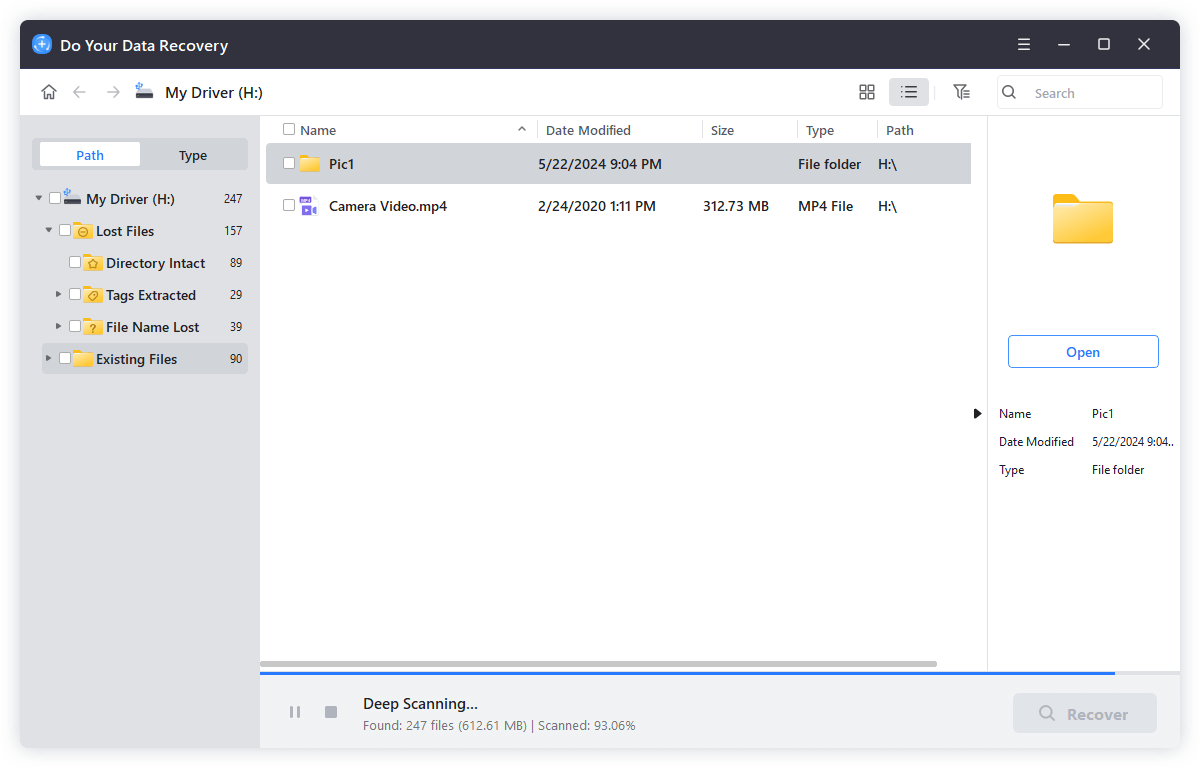
Step 4. Preview and recover lost files once the scan is completed. If the quick scan can't find all lost files, just try advanced recovery mode to find much more lost files.
Conclusion
If you only need to recover a few files, the free data recovery software is one of the best solution. With the software, you can free to retrieve the lost files in any case. The article shows the top 5 free data recovery software for users who want a free solutions.
Do Your Data Recovery Free is one of the best choices. The software is easy to use and safe to get back lost pictures, videos, documents or any other lost data. When data loss happen, stop using the drive to avoid overwritting the lost data. Then download and use the free data recovery software to rescue your data immediately.
Do Your Data Recovery Free
The safe, powerful and easy-to-use data recovery program to help you recover deleted, formatted or lost data, recover lost data from damaged hard drive, from HDD, SSD, USB flash drive, memory card, digital camera, etc, fix damaged drive and external devices.
Written & Updated by Justin Kenny
Justin Kenny is a writer & editor of DoYourData. He joined DoYourData in 2016 and focuses on writing articles about Windows data recovery, Mac data recovery, external device data recovery, hard drive clone, data erasure, Mac cleanup, computer issue fixes, etc. He is a super fan of Apple devices and is big on testing new digital device and system utility software.